
FantacyStory: novels, fictions
Novel StudioBooks & Reference
4.6928.00 Reviews
- Version
- 3.2.5
- Installs
- 1.00M
- Age Rating
- Everyone 10+
Screenshots
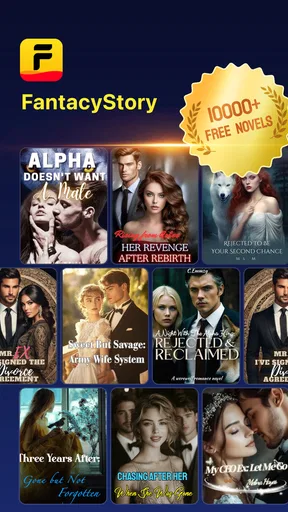


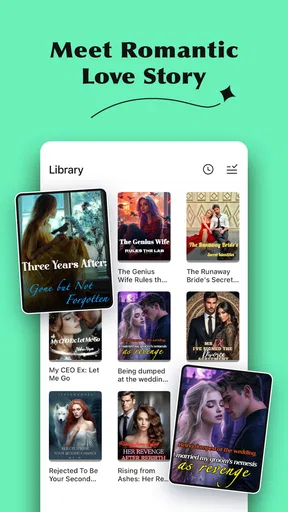
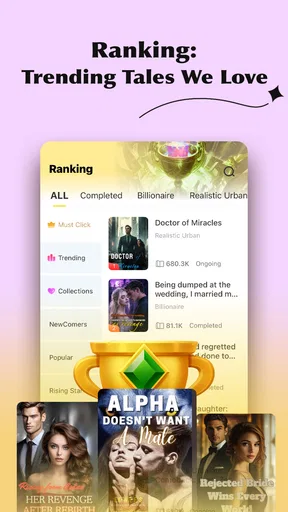
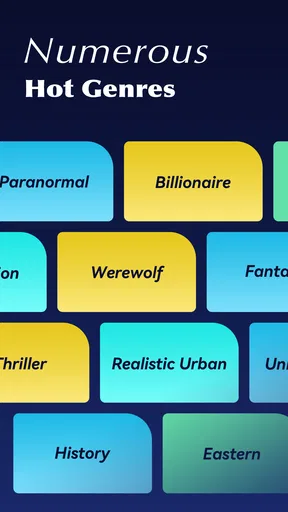

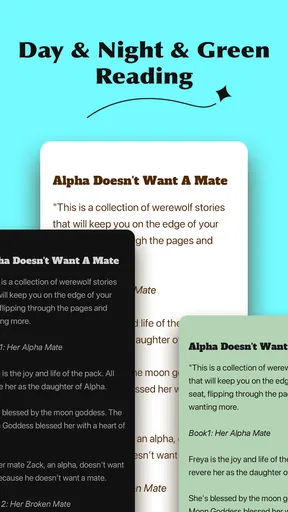
Our Review of FantacyStory: novels, fictions
 Analysis by Appyee
I approached FantacyStory: novels, fictions as a reading app first, not as a replacement for every book service on my phone. Its appeal is straightforward: it brings a large stream of fiction to Android readers who enjoy discovering stories one chapter at a time. The app comes from Novel Studio, sits in the Books & Reference category, and is free to install. After spending time with it, I found that its real value depends less on the headline promise of a huge library and more on whether its reading rhythm, account choices, and in-app purchase model suit the way you like to read.
The app has built a substantial audience, with an average rating of 4.6 from around 70 thousand ratings and more than a million installs. Those figures suggest that the basic experience works for many readers, but they do not automatically make it the right choice for everyone. A reader looking for carefully edited classics, library lending, or a quiet, book-shelf-style interface may prefer a conventional ebook app. Someone who enjoys serialized fiction, frequent discovery, and continuing stories may feel much more at home here.
How FantacyStory earns trust before you settle into a novel
One thing I noticed quickly is that a reading app asks for a different kind of trust than a simple utility. You may spend weeks with a story, create a reading history, and become tempted to pay for chapters when a plot reaches a cliffhanger. That makes transparency around accounts and purchases just as important as the writing itself. FantacyStory is rated Everyone 10+, which gives it a broad audience, although parents should still remember that a general age label is not a substitute for checking the themes of individual fiction titles.
The current release is version 3.2.3 and supports Android 7.0 or later. That relatively wide compatibility is useful if you keep an older phone for reading or use a budget Android device. I would still install it from the official app marketplace and review the permission prompts shown on my own device rather than assuming that every phone displays exactly the same choices. Permissions can depend on the operating system and installation context, so the practical trust check happens on the screen in front of you.
I also prefer to separate the developer’s identity from the app’s popularity. Novel Studio is the developer listed for this title, while the rating and install figures only tell me how many people have tried it and how positively many of them reacted. They do not prove that every story will match my taste, nor do they answer questions about how long a particular novel will remain available. For that reason, I treat the app as a convenient fiction platform rather than as a permanent personal library.
What the free label really means for a regular reader
FantacyStory is free to download, but it includes in-app purchases ranging from $1.99 to $49.99 per item. That is the most important financial detail to understand before starting a long serial. A free installation can lead to optional spending when access to later reading is connected to the app’s own purchase system. I would not begin a story during a rushed commute if I already knew I would be frustrated by stopping at a dramatic moment.
My practical advice is to decide on a reading budget before opening a popular-looking novel. If you are comfortable reading only what is freely available, keep that boundary clear and do not treat a cliffhanger as a reason to buy immediately. If you do spend, check the purchase confirmation carefully and make sure the device account’s authentication settings are working as intended. This is a small habit, but it gives you more control than relying on willpower after the story has pulled you in.
The trade-off is familiar in serialized fiction. A conventional ebook store usually asks you to buy a complete book, while a library app may offer borrowing under its own lending rules. FantacyStory is better suited to readers who like an ongoing feed and are willing to judge value chapter by chapter. It is less attractive if you want to pay once, download a finished novel, and avoid all purchase decisions until the final page.
Reading habits that make the app easier to manage
I found that the best way to use a large fiction catalog is to be selective from the beginning. Instead of opening every promising title, I would choose one story for short sessions and one backup story for moments when the first becomes too slow. This prevents the familiar problem of collecting unfinished novels and losing track of why each one seemed interesting.
A useful everyday routine is a ten-minute evening check-in. I can read a few chapters before bed, stop at a natural pause, and decide the next day whether the story deserves more time or money. That approach is safer than binge-reading several titles at once because it keeps the app in the role of a reading habit rather than turning it into an endless stream of impulse choices.
Another non-obvious trade-off is attention. A very broad fiction service can be excellent for discovery, but abundance also makes it harder to recognize when a story is simply not working for me. I give a novel a fair opening, then move on if the characters, pacing, or translation style are not holding my interest. The app becomes more enjoyable when I treat my reading list as a filter I control, not as a queue I must complete.
Controls, privacy choices, and moments that deserve extra attention
When I review an app through a trust lens, I avoid guessing about invisible data practices. What I can evaluate is the control I have at the point of use: whether I can notice what the app asks for, manage my account through the available screens, and stop a purchase before it completes. FantacyStory should be approached with that same discipline. I would read each permission request instead of tapping through automatically, especially after an update or when moving the app to a new phone.
The same principle applies to account controls. If I sign in, I want to know which account is active before making a purchase and whether the device is using the account I intended. I would also check the app’s visible settings for sign-out, notification choices, and any options related to stored account information. I cannot turn those checks into a promise about the service’s internal handling of data, but they are sensible ways to preserve user agency during normal use.
Notifications are another data-sensitive moment, even when they seem harmless. A reading reminder can help me return to a novel, while repeated alerts can make the app feel demanding. I would keep only the notifications that support my routine and disable the rest through the app or Android settings if they become distracting. This is especially useful for younger readers, shared devices, or anyone who wants fiction to remain a calm part of the day.
Purchases deserve the most deliberate attention because the price range is wide. Before confirming anything, I would verify the title, the item, the amount, and the account being charged. I would avoid saving payment details on a device used by several people unless the operating system’s purchase authentication is configured properly. If a child uses the phone, family purchase controls are worth checking before handing it over. These steps are not unique to this app, but the serialized format makes them particularly relevant because a compelling story can create pressure to continue.
Where user choice feels strongest—and where it needs discipline
The strongest form of control is choosing how deeply to commit. I can browse without deciding that every interesting cover deserves a purchase, and I can leave a novel unfinished without treating that as failure. That flexibility matters because fiction tastes are personal. A highly rated title can still be wrong for me, while a less prominent story may fit my mood perfectly.
I also recommend keeping a simple personal note outside the app if I am following several novels. I record the title, the last chapter I finished, and whether I would pay to continue. This sounds basic, but it reduces accidental duplicate spending and makes it easier to step away for a week without losing my place mentally. It is one of the most useful workarounds for any serialized reading service that encourages frequent browsing.
For readers concerned about account continuity, I would confirm how the app behaves on a second device before investing heavily in a long story. Make sure the intended account is available, check whether your reading position appears as expected, and avoid assuming that an uninstall will preserve every local detail. I would perform that check early, when little is at stake, rather than after dozens of reading sessions.
There is also a difference between content control and data control. The Everyone 10+ label gives a broad age indication, but it does not tell me that every novel will suit every ten-year-old. I would preview titles myself and talk with younger readers about themes, romance, violence, or emotionally intense scenes where appropriate. The responsible choice is to use the age label as a starting point and the individual story description as the more immediate guide.
Who will enjoy it, and who should choose something else
I would recommend FantacyStory to someone who likes discovering new fiction on a phone, enjoys ongoing narratives, and does not mind making occasional decisions about whether to continue. It can fit neatly into short breaks: a bus ride, a lunch queue, or a quiet few minutes before sleep. The free entry point also makes it easy to sample the experience before deciding whether it deserves a regular place in your routine.
I would be more cautious about recommending it to a reader who wants finished books with predictable pricing. If you dislike cliffhangers, do not want in-app purchases, or prefer borrowing from a public library, a standard ebook reader or library service may be a better match. Those alternatives usually make the ownership or borrowing relationship clearer, even if they offer less of the constant discovery that makes serialized apps attractive.
It may also be a poor fit for someone with limited mobile data or storage flexibility. I would test the app on my normal connection and watch how much time I actually spend browsing compared with reading. A large catalog is only useful when it helps me find a story quickly; if I spend most sessions scrolling, the choice is working against me. Setting a reading intention before opening the app helps keep discovery from replacing reading.
For families, I would treat it as a shared-device app only after checking the account and purchase setup. The broad age rating is helpful, but individual fiction still needs supervision based on the reader’s maturity. For adults who want a private, focused reading environment, I would adjust notifications and review account access before building a long-term habit.
My cautious verdict after using it as a fiction reader
FantacyStory succeeds when I use it for what it is: a mobile fiction discovery service built around serialized reading rather than a traditional digital bookshelf. Novel Studio has made an app that can appeal to readers who enjoy variety and regular story updates, and its strong average rating shows that many users find the experience worthwhile. The free download lowers the barrier to trying it, while compatibility with Android 7.0 or later makes it accessible on a broad range of devices.
My reservation is not about the idea of the app; it is about commitment. The combination of ongoing stories and in-app purchases means I need to manage my attention and spending actively. I would not start several long novels without a plan, and I would never confirm a purchase casually just because a chapter ended at the worst possible moment. The app is most enjoyable when I remain the one making those decisions.
In the end, I see FantacyStory as a good choice for curious readers who want convenient fiction sampling and are comfortable with a serialized format. I would skip it in favor of a conventional ebook or library app if my priority were complete books, stable one-time pricing, or a more controlled catalog. For everyone else, my recommendation is simple: install it, inspect the visible permissions and account options, sample the reading experience, and set a spending boundary before a favorite story tests it. Its best feature is the freedom to explore; its biggest responsibility is making sure that exploration remains your choice.
Privacy and Permissions
See what permissions an app requests and how it handles your data.
- Calendar
- read calendar events plus confidential information, add or modify calendar events and send email to guests without owners' knowledge
- Location
- approximate location (network-based)
- Phone
- read phone status and identity
- Photos/Media/Files
- read the contents of your USB storage, modify or delete the contents of your USB storage
- Storage
- read the contents of your USB storage, modify or delete the contents of your USB storage
- Wi-Fi connection information
- view Wi-Fi connections
- Device ID & call information
- read phone status and identity
- Other
- view network connections, full network access, control vibration, prevent device from sleeping, Google Play license check
Verdict
Strengths of FantacyStory: novels, fictions
- Large library of romance, fantasy, and fiction stories
- Personalized recommendations help discover new novels
- Offline reading is convenient for travel or limited connectivity
- Regular updates add fresh chapters and new stories
- Simple reading interface with adjustable text settings
Limitations of FantacyStory: novels, fictions
- Some stories may require coins or purchases to continue
- Advertisements can interrupt browsing or reading sessions
- Story quality varies between authors and titles
- New chapters may be released slowly for ongoing novels
- Offline access may be limited for certain content
Similar Picks in This Category
View All
Google Play Books & Audiobooks
Google LLC4.7

네이버 - NAVER
NAVER Corp.3.5

Wattpad - Read & Write Stories
Wattpad.com3.7

King James Bible - Verse+Audio
Ozion4.8

Bible Offline-KJV Holy Bible
Bíblia Offline4.9

Amazon Kindle: Reading App
Amazon Mobile LLC4.8
Frequently Asked Questions
What is FantacyStory: novels, fictions?
FantacyStory: novels, fictions is a mobile reading app focused on serialized fiction and online novels. It gives readers access to stories across genres such as fantasy, romance, mystery, drama, and adventure. From the app, you can browse recommended titles, open chapters, follow ongoing stories, and continue reading from where you stopped. The catalog and available features may vary depending on your region and app version.
Is FantacyStory: novels, fictions free to use?
The app can generally be downloaded and used without an upfront purchase, but access to every chapter or feature may not be completely free. Some stories may use coins, passes, advertisements, daily rewards, or other in-app purchase options to unlock premium chapters. Before spending money, check the title’s payment requirements and review the store listing for current subscription, refund, and purchase information.
What types of novels and stories are available in the app?
FantacyStory offers a selection of digital fiction, with content commonly centered on popular mobile-reading categories such as fantasy, romance, supernatural stories, contemporary drama, suspense, and adventure. The exact library changes as new works are added and older titles are updated. If you prefer completed novels, check whether a story is finished before starting, because many titles are published chapter by chapter.
Can I read FantacyStory novels offline?
Offline reading depends on the specific version of the application and the title’s available options. Some apps allow chapters to be cached or downloaded after they have been opened, while others require an active internet connection for loading content, advertisements, or unlocking chapters. It is best to test the download or reading settings with a free chapter before relying on the app during travel or without mobile data.
Does FantacyStory support reading progress and account synchronization?
FantacyStory may provide features such as reading history, bookmarks, favorites, or progress tracking, which can make it easier to return to a novel later. Synchronization across devices usually depends on signing in with a supported account and maintaining a stable connection. Because these options can differ by release, confirm that your progress is saved before uninstalling the app or changing devices, especially when reading several ongoing stories.
